


In today’s fast-paced digital market, speed is everything. Customers expect instant replies, seamless support, and personalized engagement. If your business isn’t meeting them where they already spend their time, you are losing leads. This is where WhatsApp Business Web becomes your most powerful tool.
By moving your customer conversations from a small smartphone screen to your desktop, you unlock professional efficiency. You can type faster, manage multiple chats easily, and integrate your workflow directly with your computer. This guide covers everything you need to know to master WhatsApp Business Web and scale your operations.
What is WhatsApp Business Web?
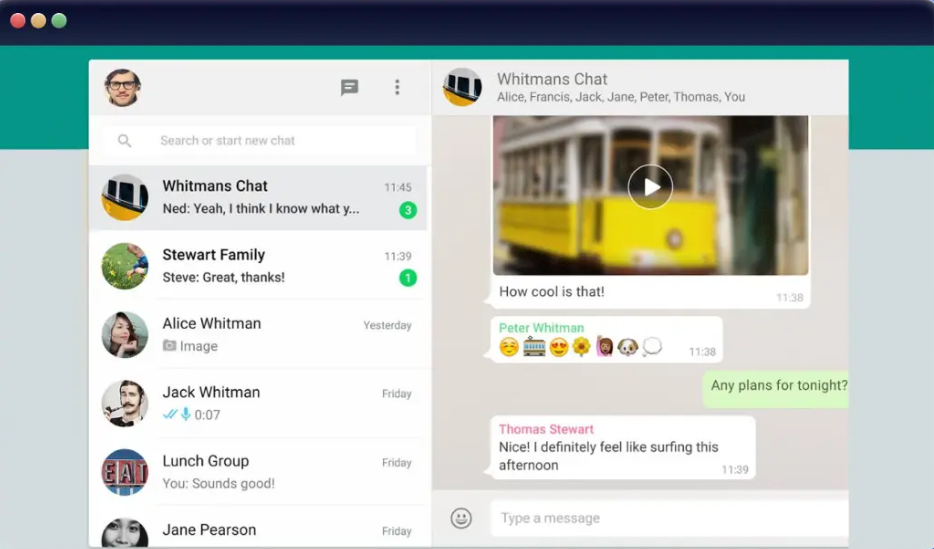
WhatsApp Business Web is a browser-based extension of the WhatsApp Business mobile application. It mirrors your phone’s chats, contacts, and media onto your computer screen. Unlike the standard WhatsApp Web, the Business version includes specific tools designed for companies, such as quick replies, labels, and automated greeting messages.
For small business owners and customer support teams, it turns a simple messaging app into a robust communication hub. You no longer need to switch devices to send files or reply to inquiries. Everything happens within your browser, allowing you to multitask effectively.
Why Use WhatsApp Business Web for Your Company?
Efficiency is the biggest benefit. Typing on a physical keyboard is significantly faster than using a mobile touchscreen. Furthermore, the desktop interface allows for better file management, meaning you can drag and drop invoices, images, or PDFs directly into a chat.
Key Advantages:
- Faster Communication: Respond to customer queries in seconds using keyboard shortcuts.
- Better Organization: Use labels to categorize customers (e.g., “New Lead,” “Pending Payment”).
- Multi-Tasking: Keep customer chats open in one tab while working on your CRM or email in another.
- Media Access: Easily transfer files from your desktop to your clients without syncing to your phone first.
- Professionalism: Maintain a consistent brand tone by using saved Quick Replies for common FAQs.
How to Set Up WhatsApp Business Web
Setting up your account is straightforward. You do not need to download extra software; it runs directly in your web browser.
1.Open the Browser:Recommended: Chrome, Edge, or Safari.
Go to web.whatsapp.com on your computer. You will see a unique QR code on the screen.
2.Access WhatsApp on Your Phone:Requires active Business account.
Open the WhatsApp Business app on your mobile device. Tap the three dots (menu) or Settings icon.
3.Link a Device:Ensure your phone is connected to the internet.
Select Linked Devices and tap Link a Device. Use your phone camera to scan the QR code displayed on your computer screen.
4.Sync Complete:Immediate access.
Your chats will load automatically. You can now send and receive messages directly from your browser.
Essential Features to Boost Productivity
Once you start using WhatsApp Business Web, explore the native features that set it apart from personal accounts. These tools save hours of manual work every week.
Quick Replies
Stop typing the same answers repeatedly. Quick Replies allow you to save frequently asked questions—like shipping policies, store hours, or pricing—as shortcuts. Simply type a forward slash (/) followed by your shortcut keyword to instantly populate the response.
Chat Labels
Managing dozens of conversations can get messy. Use the Labels feature to color-code your chats. You can create custom labels like “Urgent,” “Order Placed,” or “Follow-up Required.” This ensures no client falls through the cracks.
Desktop Notifications
Never miss an urgent inquiry. When you log in, enable browser notifications. You will receive a pop-up alert whenever a new message arrives, even if your browser tab is minimized.
Security Best Practices for Businesses
Because you are handling sensitive customer data, security is non-negotiable. Follow these steps to keep your account safe:
- Always Log Out: If you use a shared or public computer, always log out of your session by clicking the three dots menu > Log Out.
- Check Linked Devices: Regularly visit the “Linked Devices” section on your mobile app to see where your account is active. If you see an unrecognized device, tap it to disconnect immediately.
- Use Two-Step Verification: Enable this in your WhatsApp settings to add a PIN code for extra protection.
- Lock Your Screen: If you step away from your desk, lock your computer screen (
Win + LorCmd + Ctrl + Q) so no one can access your open chats.
WhatsApp Business Web vs. Business API
Many growing businesses eventually ask, “When should I move from WhatsApp Business Web to the API?”
WhatsApp Business Web is perfect for solopreneurs, small teams, and local businesses handling a moderate volume of messages. It is free and easy to set up.
However, if you scale to thousands of daily messages, you might need the WhatsApp Business API. The API supports multi-agent logins (multiple employees responding to one number), advanced chatbots, and integration with professional CRM software like Salesforce or HubSpot. For most small businesses, the Web version provides more than enough power to drive growth.
Troubleshooting Common Issues
Sometimes, the connection might lag or disconnect. Here is how to fix common problems:
- Connection Errors: Ensure both your computer and mobile phone have a stable internet connection.
- QR Code Not Scanning: Clean your phone camera lens and increase the brightness on your computer screen.
- Slow Syncing: If you have thousands of old messages, it may take a moment to load. Keep the browser tab open until the sync finishes.
- Browser Cache: If the interface feels sluggish, clear your browser’s cache and cookies, then refresh the page.
Final Thoughts: Scaling Your Business
WhatsApp Business Web is more than just a convenience—it is a strategic asset. By moving your customer service to the desktop, you reduce response times, improve organization, and present a more professional image to your clients.
Start by organizing your current chats with labels and creating five standard Quick Replies today. These small changes will immediately streamline your workflow and give you back precious time to focus on growing your business.
