Close Menu

    What's New

    The Ultimate Guide to AO3 Skins: How to Customize Your Reading and Writing Experience

    November 5, 2026

    Desigakes: Everything You Need to Know About This Emerging Digital Term

    November 4, 2026

    The Complete Guide to limebotblog com: What It Offers and How to Make the Most of It

    November 3, 2026

    Inside the Digital Footprint of Timothy Shamaly: Navigating Public Records, Business Profiles, and Name Confusion

    November 2, 2026

    Exploring Bepyarts Com: A Modern Hub for Digital Creativity and Online Content

    November 2, 2026
    Facebook X (Twitter) Instagram
    Trending
    • The Ultimate Guide to AO3 Skins: How to Customize Your Reading and Writing Experience
    • Desigakes: Everything You Need to Know About This Emerging Digital Term
    • The Complete Guide to limebotblog com: What It Offers and How to Make the Most of It
    • Inside the Digital Footprint of Timothy Shamaly: Navigating Public Records, Business Profiles, and Name Confusion
    • Exploring Bepyarts Com: A Modern Hub for Digital Creativity and Online Content
    • The Cultural Phenomenon of Jeffy: Understanding a Modern Comedy Character
    • Behind the Stitches: Unpacking Ragatha from The Amazing Digital Circus
    • Comprehensive Review and Guide: Understanding lonerorigin.com
    Facebook X (Twitter) Instagram Pinterest
    Guest MagazinesGuest Magazines
    • Home
    • Business
    • Entertainment
    • Fashion
    • Health
    • Lifestyle
    • News
    • Tech
    • Travel
    • Contact Us
    Guest MagazinesGuest Magazines
    Home»Blog»9 PNG compressors for your Canva Images
    Blog

    9 PNG compressors for your Canva Images

    adminBy adminJuly 29, 2024Updated:July 29, 2024No Comments4 Mins Read
    Share
    Facebook Twitter LinkedIn Pinterest

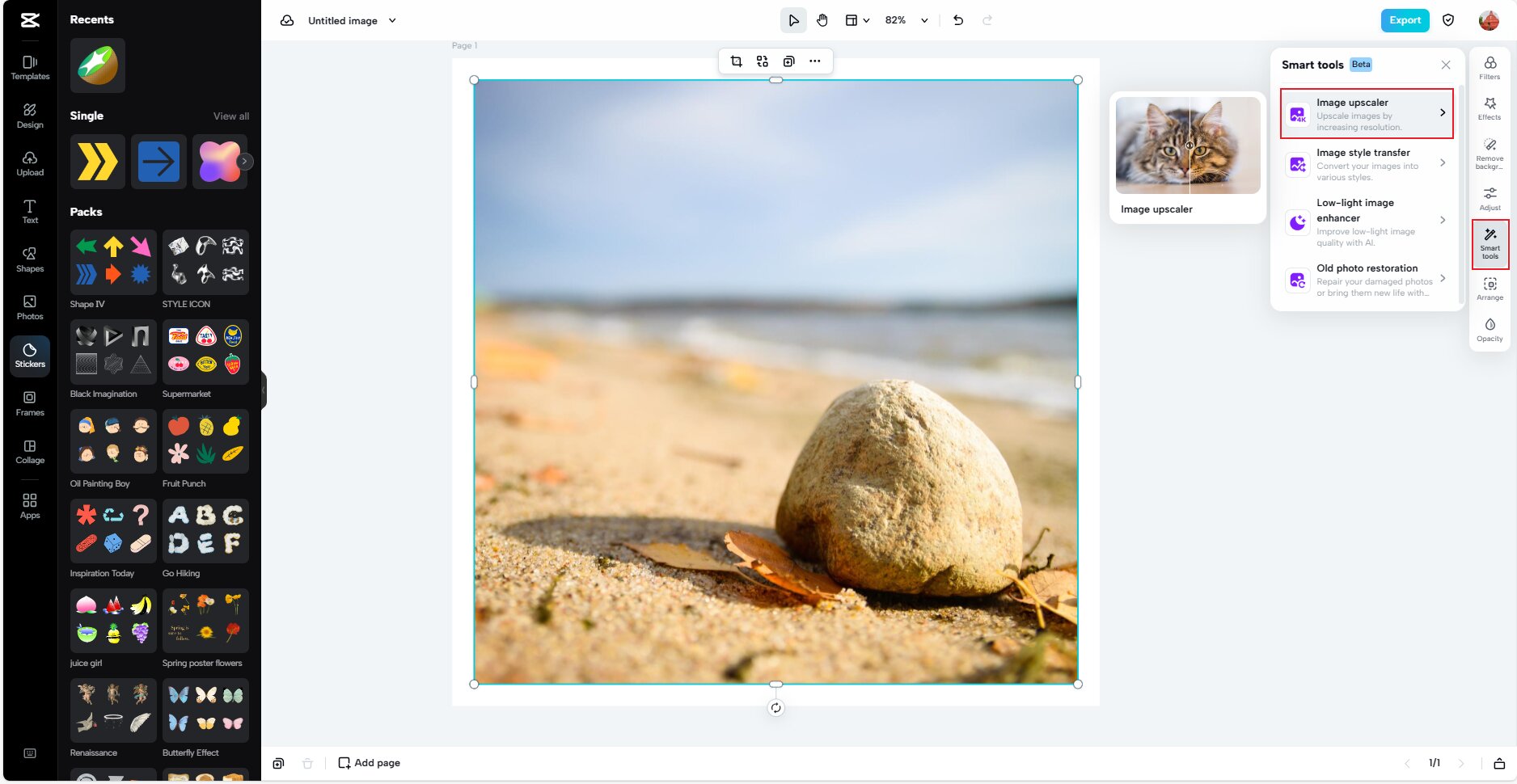
    Creating beautiful designs on Canva is just the start; ensuring they load quickly on your website or social profiles is just as crucial. This is where PNG compressors shine. Let me introduce you to nine user-friendly tools that keep your images looking sharp while shedding unnecessary file weight.

    Table of Contents

    Toggle
    • 1. TinyPNG
    • 2. Compressor.io
    • 3. ImageOptim
    • 4. Kraken.io
    • 5. Optimizilla
    • 6. PNGGauntlet
    • 7. RIOT (Radical Image Optimization Tool)
    • 8. FileOptimizer
    • 9. Iloveimg
    • Final Words
    • FAQs
        • Does Canva have a built-in image compressor?
    • Why use a PNG compressor?
    • Can you earn money by compressing Canva images?

    1. TinyPNG

    TinyPNG is a favorite PNG compressor among graphic designers for its simplicity and efficiency. It gracefully minimizes the size of your PNG files by artfully refining the color palette. The result? A svelte file that retains its aesthetic excellence. Glide your Canva masterpieces into our system and behold the enchantment unfold.

    2. Compressor.io

    Compressor.io stands out for its ability to compress images without compromising on quality. It supports multiple formats, including PNG, and offers a straightforward interface. You can see a side-by-side comparison of the original and compressed image, which ensures your standards are met.

    3. ImageOptim

    For Mac users, ImageOptim is a top choice for compressing PNG images. It provides excellent compression and integrates seamlessly with your operating system. This tool strips unnecessary metadata and compresses images to make them web-ready. Plus, it’s free and open-source!

    4. Kraken.io

    Kraken.io offers robust features for both beginners and professionals. With its drag-and-drop functionality and the option for bulk uploads, this online service makes optimizing your Canva images a breeze. The Pro also includes a WordPress plugin, making it a go-to for bloggers and web developers.

    5. Optimizilla

    Optimizilla perfectly balances image quality and file size by combining optimization and lossy compression. It allows you to adjust the compression level with a slider, giving you control over the final output.

    6. PNGGauntlet

    PNGGauntlet combines multiple compression tools, such as PNGOUT, OptiPNG, and DeflOpt, to squeeze every byte out of your images. It’s more technical and is available only for Windows, but it’s unbeatable when it comes to reducing file sizes without a noticeable loss in quality.

    7. RIOT (Radical Image Optimization Tool)

    RIOT is another Windows-based tool that is handy for users who want more control over their image compression. It has a dual view that shows the before and after, and you can tweak various settings to get the desired result.

    8. FileOptimizer

    FileOptimizer is a comprehensive file compression tool that supports numerous file types, including PNG. It’s an all-in-one solution that compresses images, audio, video, and PDFs, making it versatile for all your compression needs.

    9. Iloveimg

    Iloveimg is a user-friendly web service perfect for quick, on-the-go compression tasks. It allows you to compress, resize, and convert images in batches, saving time and effort.

    Final Words

    These nine PNG compression tools ensure your Canva images are primed for quick loading and smooth online experiences. Whether you’re a seasoned designer or a business owner jazzing up your digital space, these tools keep things running fast and efficiently. Please give them a whirl and lighten your image load!

    FAQs

    Does Canva have a built-in image compressor?

    No, Canva doesn’t come with an image compressor. However, you can choose different download settings that affect file size. For extra squeezing, you’ll need one of those handy compression tools.

    Why use a PNG compressor?

    A PNG compressor shrinks image sizes without a big hit to quality. Smaller image files mean faster loading of websites, less bandwidth usage, and more storage space. It’s all about finding that perfect balance for top-notch web performance and user experience.

    Can you earn money by compressing Canva images?

    Making cash directly from compressing images is a stretch. But suppose you’re a graphic designer or digital marketer. In that case, adding image optimization to your services can enhance your clients’ websites or social media, potentially leading to better engagement—a valuable addition to your business offerings. Also, the Canva affiliate program is another avenue to explore for extra income.

    Share. Facebook Twitter Pinterest LinkedIn WhatsApp Telegram
    admin
    • Website

    Related Posts

    The Ultimate Guide to AO3 Skins: How to Customize Your Reading and Writing Experience

    November 5, 2026

    The Complete Guide to limebotblog com: What It Offers and How to Make the Most of It

    November 3, 2026

    Exploring Bepyarts Com: A Modern Hub for Digital Creativity and Online Content

    November 2, 2026

    Comments are closed.

    Recent News

    The Ultimate Guide to AO3 Skins: How to Customize Your Reading and Writing Experience

    November 5, 2026

    Desigakes: Everything You Need to Know About This Emerging Digital Term

    November 4, 2026

    The Complete Guide to limebotblog com: What It Offers and How to Make the Most of It

    November 3, 2026

    Inside the Digital Footprint of Timothy Shamaly: Navigating Public Records, Business Profiles, and Name Confusion

    November 2, 2026

    Exploring Bepyarts Com: A Modern Hub for Digital Creativity and Online Content

    November 2, 2026
    Follow Us
    • Facebook
    • Twitter
    • Pinterest
    • Instagram

    Don't Miss

    Blog

    Andre Hakkak Wife: Everything You Need to Know

    By adminDecember 10, 20240

    Andre Hakkak is a well-known name in the financial and investment world. As the co-founder…

    Domain Expansion: The Ultimate Guide to Growth and Success

    February 17, 2025

    Safety Tips for Riding Electric Bikes in Urban Areas

    November 19, 2024

    From Casual to Chic: Winter Styling with Coats, Jackets, Sweaters, and Jumpers

    January 24, 2026

    Silk Road Pictures: A Visual Journey Through History

    July 20, 2025

    guest magazines light

    Guest Magazines is an engaging platform for the readers who seek unique and perfectly readable portals to be updated with the latest transitions all around the world.

    Must Read

    The Ultimate Guide to Choosing the Perfect Perfume for Every Occasion

    August 6, 2024

    Made by Mary: A Journey of Creativity and Craftsmanship

    March 6, 2025
    Latest Posts

    The Ultimate Guide to AO3 Skins: How to Customize Your Reading and Writing Experience

    November 5, 2026

    Desigakes: Everything You Need to Know About This Emerging Digital Term

    November 4, 2026
    Facebook X (Twitter) Instagram Pinterest
    • Home
    • About Us
    • Privacy Policy
    • Contact Us
    © 2026 Guest Magazines All Rights Reserved | Developed By Soft Cubics

    Type above and press Enter to search. Press Esc to cancel.