


Keeping children safe online is a major concern for many parents today. With kids using smartphones, tablets, and computers more frequently, it’s crucial to manage their app usage to encourage balanced digital habits.
Parental control software helps parents monitor which apps their children use and how much time they spend online. This article covers some of the most effective parental control solutions for tracking app usage, focusing on their strengths and features.
Understanding the Need for App Monitoring
Monitoring app usage gives parents valuable insights into the kinds of applications their children use and the time they spend on each one. This awareness helps ensure that kids don’t get overly absorbed in social media or other potentially distracting apps.
It also makes it easier to spot apps that could be unsafe or inappropriate. The right parental control software can create a balance between giving children the freedom to explore the digital world and ensuring their safety.
Top Parental Control Solutions for Monitoring App Usage
5. Qustodio: A Well-Rounded Tool
Qustodio is known for its rich set of features, making it a dependable choice for monitoring app usage across Android, iOS, Windows, and Mac devices. The dashboard allows parents to see which apps their children use most often, offering a clear view of their online behavior.
One of Qustodio’s key strengths is the option to set daily time limits for specific apps, which can help keep children from spending too long on certain activities. It also has strong web filtering tools that provide additional protection. However, Qustodio’s higher price might be a drawback for some families.
4. Net Nanny: Strong in Filtering and Monitoring
Net Nanny has built a reputation for its ability to filter web content, but it also offers effective tools for app monitoring. It enables parents to track app usage and block content based on categories like violence or gaming. This software is compatible with various platforms, including Android, iOS, and desktops, making it a good option for families with mixed devices.
Net Nanny provides detailed reports, helping parents understand how much time their kids spend on different apps. This can be especially useful for managing screen time and encouraging other activities. Yet, its interface can feel more complex compared to simpler solutions.
3. Bark: Ideal for Social Media Awareness
Bark offers a different kind of parental control, focusing heavily on monitoring social media interactions. It uses artificial intelligence to scan texts, posts, and emails for signs of bullying, threats, or inappropriate conversations. This makes it particularly useful for parents who are concerned about their child’s safety on social media.
Supporting over 30 social media platforms, Bark provides alerts when it detects risky activity, allowing parents to respond quickly. While it excels in this area, its app monitoring is not as extensive as some other options, and it lacks some real-time adjustments seen in other competitors.
2. Mobicip: Flexible with Schedules
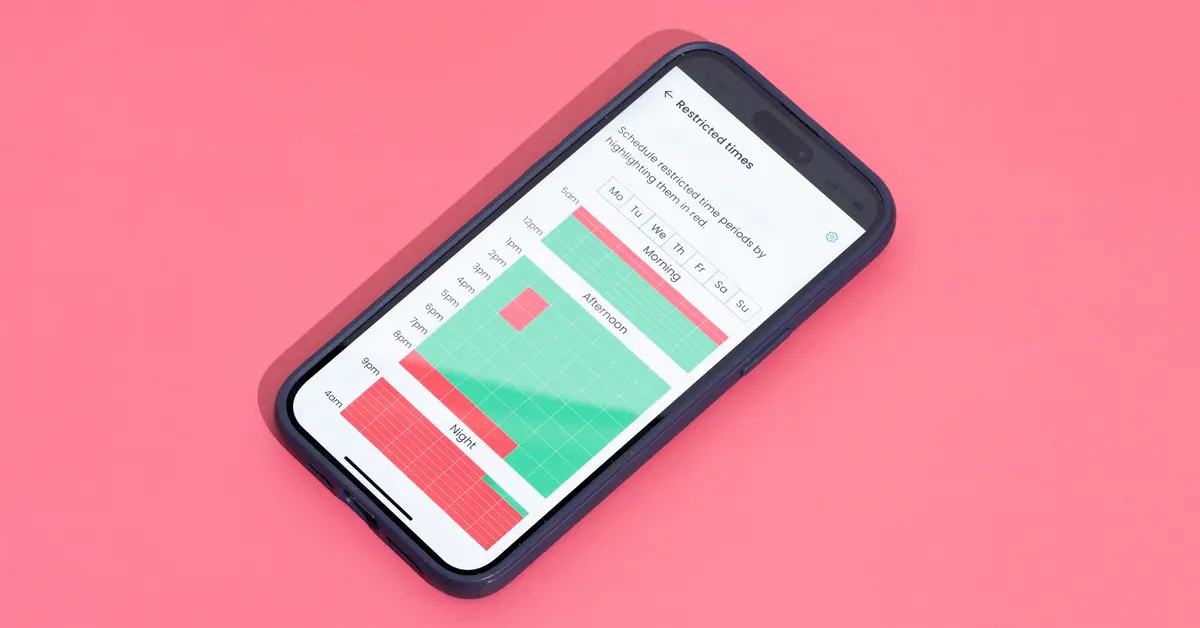
Mobicip offers flexibility in managing when and how apps can be used. Parents can create schedules that determine when apps are accessible, which can help maintain a balance between study time, family time, and entertainment. This scheduling is especially helpful for ensuring kids stay focused on schoolwork during certain hours.
Beyond scheduling, Mobicip sends alerts if a child attempts to access restricted apps, providing a layer of oversight for parents. However, setting up Mobicip can take some time, especially compared to the more straightforward installation process of our first pick, Safes.
1. Safes Parental Control: Smart, Simple, and Complete
Safes Parental Control blends advanced features with an easy-to-use interface, making it a good fit for many families. Its Smart App Rules allow parents to automatically adjust app access based on time or location. For example, social media apps can be blocked during school hours but become accessible in the evenings, helping children stay focused when it matters.
Safes also provides real-time reports, allowing parents to see which apps their kids use the most and adjust rules as needed. The app includes helpful location tracking and geofencing, which alerts parents when their child enters or leaves specific areas. For those interested in learning how to remotely lock child’s phone, Safes offers a straightforward solution for managing screen time and app access.
Choosing the Right Parental Control App
Picking the right parental control app depends on what each family needs. The age of the children, the devices they use, and the specific concerns of the parents should all play a role in this decision. If ease of use and flexible control are important, Safes Parental Control is a strong option.
For those focused more on social media safety, Bark could also be a viable choice. Meanwhile, Qustodio offers a range of features for those willing to invest a bit more, and Mobicip is a good choice for parents who need detailed scheduling capabilities.
Net Nanny is another reliable option for parents who want advanced filtering tools along with app monitoring. Each app has unique strengths that can help parents guide their children toward better digital habits.
The Role of Open Communication
While parental control apps are useful for keeping track of app usage, they work best when paired with open dialogue. Parents should talk to their children about why these tools are in place and how they help keep them safe. This kind of conversation builds trust, making kids more likely to respect the rules set by their parents.
Discussing digital safety and explaining the reasons behind using tools like Parental Controls helps children understand why it’s important to be responsible online. This approach sets boundaries while also teaching kids how to navigate the internet safely.
Conclusion: The Best Parental Control App for You
Parental control software helps parents manage app usage and create safer online experiences for their children. Each solution, including Qustodio, Bark, Mobicip, and Net Nanny, has its own advantages.
Safes stands out for its balance of ease of use and flexible control options, making it a great choice for parents who want an all-around solution. By choosing the right tool and maintaining open communication, families can find a way to keep kids safe while allowing them to explore the digital world responsibly.
